Harbinger 8
An 8-string instrument for true argent riffs.
Chromatically sampled performance, intelligent string-aware voicing, multitracked weight, and a complete NAM-driven signal chain inside one plugin.
- 8 strings / 24 frets
- 64 NAM profiles
- 5 guitar signals
- VST3, CLAP and AU
Demo Tracks
Every guitar part heard in these demos is Harbinger 8.
Transistor Fist
Apocalypse Audio
Acoustic Nuclear Warhead
Apocalypse Audio
Supernova Integral 666
Apocalypse Audio
Ironside Devastation
Apocalypse Audio
Built from the neck up.
Every position sampled
Every semitone position is captured across the neck, with plenty of dedicated round robins for the articulations that carry the riff.
Read the round robin specificationsFive tracked signals
Fully chromatic sampling lets each tracked lane borrow from neighboring positions across the neck, keeping layered parts tonally coherent without repeating the same signal.
Center, double, triple, quad, and five-lane modes use the samples already loaded in the plugin instance, adding width with no extra sample RAM.
String-level control
Let the engine choose playable strings automatically, or use string-focus keys when a part needs a fixed string or position.
Set the capo low bound to keep the lowest playable fret at or above your chosen point, or use MIDI Guitar mode to map channels 1-8 directly to strings.
Legato built on fretboard logic.
Harbinger 8 uses two legato systems: bends for connected note movement, and simulated slides that travel across fretted positions.
On note press or release, the engine checks the notes still being held before starting a transition, so movement follows a playable fretboard path instead of blindly connecting every overlap.
Slide mode moves through intermediate frets and adds slide noise. Solo mode keeps lead lines believable by preventing stacked transitions a player could not perform.
Write the part. Keep the tone.
Shape the part from string behavior and track layering through amp capture and final processing, without rebuilding the chain across DAW inserts.
Use included NAM profiles or load your own .nam capture for the riff’s amp
voice.
Pre FX → NAM Amp → Post FX
Shape the DI before the amp. Drive a captured NAM profile. Finish the result for the mix.
Pre FX
Clean, shape, and control the DI before it reaches the amp.
- Transient Shaper
- EQ
- Delay
- Reverb
- Compressor
NAM Amp
Choose from 64 included profiles or import a custom .nam capture. The profile that shaped the riff opens with the patch.
- 64 factory profiles
- Custom NAM import
- Input Drive
- Output trim
Post FX
After the profile, place the sound with post EQ, space, dynamics, width, limiting, and final output control.
- EQ
- Delay
- Reverb
- Compressor
- Width
- Limiter
Everything stays in reach.
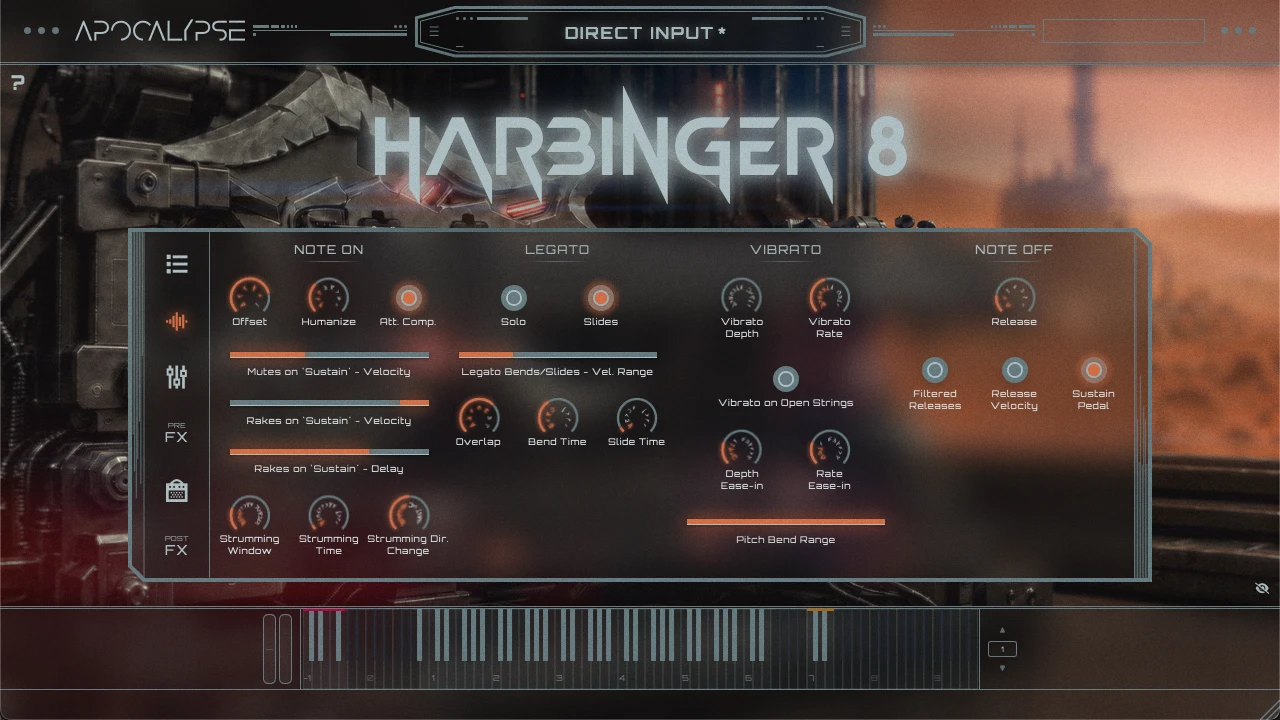
The writing controls, lane controls, amp section, and final shaping stay on one surface.
System Requirements
| macOS |
|
|---|---|
| Windows |
|
| Storage |
|
| Memory |
|
| Host |
|
Find installation, controls, NAM profile management, MIDI behavior, and troubleshooting in the documentation.